Vimeo Play Vimeo videos directly within JW Player 6
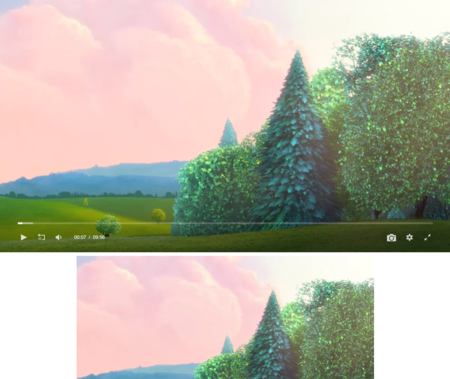
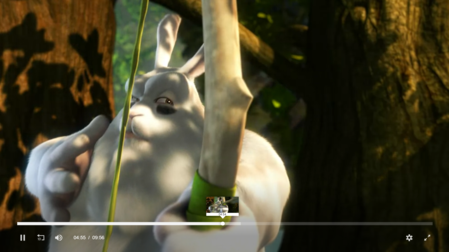
The Vimeo JW Player plugin uses the AS3 API to show the Vimeo videos using JW Player 6.
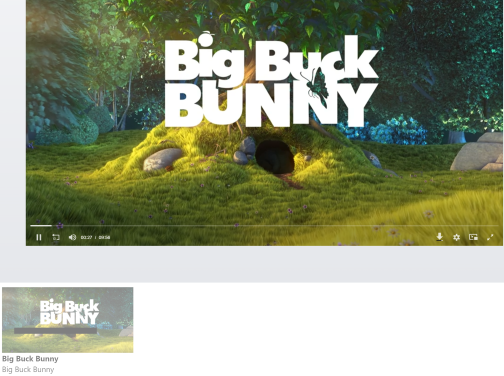
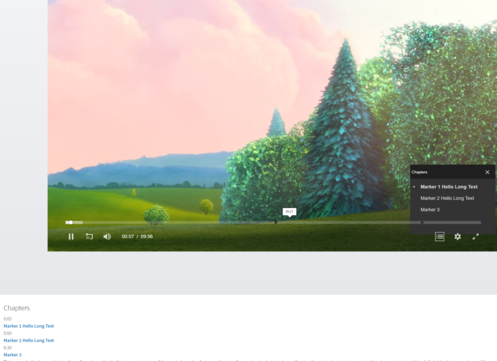
This demonstrates a setup to play a video from Vimeo with a playlist of other videos. Additionally it fetches information about each video from the Vimeo API and shows some of the data provided.
The plugin works with manual playlists aswell in combination with the JW Player playlist javascript api.
Features
- Chrome player support with integration with other JW Player plugins.
- Provides an event for obtaining data for the video to be used for customised features via the javascript API and Vimeo API.
- Full playlist support provided by JW Player to work with other video provider types like http, rtmp and youtube.
- Automatic management of the controlbar to hide / show the controls for the chrome player with other video types in a playlist.
Known Issues
- No official configurable chromeless player support, therefore all controlbar UI needs to be disabled.
- All video UI customisations are provided by Plus and Pro only users for the owners of those videos if they choose to provide a chromeless interface.
- No bitrate quality selection or HD selection support due to the lack of video quality level selection support or controlling HD access.
- Not able to obtain volume value changes from the default UI therefore all volume settings to and from JW Player are disabled for the moment.
- No seeking outside the buffer support due to the lack of proper pseudo streaming / byterange seeking functions over http.
- No video start time support due to being a progressive download only stream.
- An initial vimeo video id is required to load the API before actually requesting the correct video due to a logical limitation, this can be provided by a defaultId config or the current clip url is used. This will affect the play count.
- Limitations with both the JW Player Javascript and Flash apis making certain features impossible.
- No JW Player api for calling plugin methods on a provider or returning events, some work arounds have been made.
NOTE: The Vimeo Moogaloop API is severely limited and crippled because of their organisational, developer and business policies. Whenever the API is evolved and improved in the future those feature improvements may be carried across.
There is a hidden feature to provide near chromeless support but it is not enabled by default, it is required that owners of the videos hold a Plus or Pro account to be able to change the way the video appears in the API and only the users with such an account has access to disable features they do not need for the videos they own.
As of now only a chrome player is supported which requires disabling the JW Player controlbar which will then allow universal embedding and playing with other video formats in a playlist.
There will be no ETA as of yet of any other feature compatibility therefore can be bundled with the Youtube plugin at a reduced cost.
(Current Version 2.0)
Compatibility
- JW Player 6 and above
License Information
The Vimeo Plugin is a once off commercial license with updates and support to the Vimeo plugin only. JW Player related questions and support may be provided on their forums at http://www.longtailvideo.com/support/forums/jw-player/
- Single Domain License - Suitable for small to medium sites with updates and unlimited support included.
- Multi Domain License - Suitable for larger sites and video platform sites with updates, feature requests and unlimited priority support included.
- Single Domain Not For Profit License - Suitable for not for profit organisations.
Note:
With your purchase please provide your domains to be provided with your licensed plugin. New domains need to be requested manually for the moment.
List Of Examples
Examples
Example with vimeo playlists.
JW Player configuration
The clip object sets the Vimeo plugin to be the video's streaming provider and URL resolver:
function formatContent(text){
if (text) {
text = text.replace(
/((https?\:\/\/)|(www\.))(\S+)(\w{2,4})(:[0-9]+)?(\/|\/([\w#!:.?+=&%@!\-\/]))?/gi,
function(url){
var full_url = url;
if (!full_url.match('^https?:\/\/')) {
full_url = 'http://' + full_url;
}
return '' + url + '';
}
).replace(/(\r\n|\r|\n)/g, "
");
}
return text;
}
function showInfo(data) {
$('#tags-content').html(data.tags.join(","));
$('#description').html(formatContent(data.content));
$('#content-container').show();
}
function onVimeoApiData(data) {
showInfo(data);
}
jwplayer("basic").setup({
flashplayer: "http://static.electroteque.org/swf/jwplayer.flash.swf",
html5player: "jwplayer.html5.js",
width: 760,
height: 350,
'playlist.position': 'right',
'playlist.size': '250',
listbar: {
position: 'right',
size: 250
},
primary: "flash",
playlist: [
{ file: "1084537.mp4", provider: "http://static.electroteque.org/swf/vimeo-2.0.swf", title: "Big Buck Bunny", author: "Blender Foundation", videoDuration: "9.56", image: "http://b.vimeocdn.com/ts/209/636/20963649_640.jpg" },
{ file: "1132937.mp4", provider: "http://static.electroteque.org/swf/vimeo-2.0.swf", title: "Elephants Dream", author: "Blender Foundation", videoDuration: "10.54", image: "http://b.vimeocdn.com/ts/209/725/20972598_640.jpg" },
{ file: "28103524.mp4", provider: "http://static.electroteque.org/swf/vimeo-2.0.swf", title: "Les chiens isolés", author: "CRCR", videoDuration: "6.32", image: "http://b.vimeocdn.com/ts/205/905/205905221_640.jpg" },
{ file: "17922322.mp4", provider: "http://static.electroteque.org/swf/vimeo-2.0.swf", title: "Junkspace", author: "CRCR", videoDuration: 0.55, image: "http://b.vimeocdn.com/ts/130/627/130627553_640.jpg" },
{ file: "16051959.mp4", provider: "http://static.electroteque.org/swf/vimeo-2.0.swf", title: "TODOR and PETRU", author: "CRCR", videoDuration: "2.45", image: "http://b.vimeocdn.com/ts/205/911/205911527_640.jpg" },
{ file: "15160326.mp4", provider: "http://static.electroteque.org/swf/vimeo-2.0.swf", title: "Red River Bay", author: "CRCR", videoDuration: "1.07", image: "http://b.vimeocdn.com/ts/130/627/130627947_640.jpg" },
],
vimeo: {
enableApiData: true
}
});
Configuration
The configuration of the Vimeo provider plugin needs to be in a config object property `vimeo` like so:
vimeo: {
....
}
Here is a list of the configuration options:
| property / datatype | default | description |
|---|---|---|
|
enableApiData
boolean
|
false | When enabled the video data feed will be collected and video information will be returned via the onApiData event. This will collect information like statistics, thumbnails, portraits, tags, title, description etc. |
|
oauthKey
string
|
The required developer oauth key to load the api. The oauth key is required and can be obtained by first logging into Vimeo and registering your application at http://vimeo.com/api/applications/new. | |
|
secure
boolean
|
false | When loading the player in a secure server environment, enable this to load the Vimeo api via secure server also. |
|
color
string
|
Specify the color of the video controls. Defaults to 00adef. Make sure that you don’t include the #. | |
|
title
number
|
0 | Show the title on the video. Defaults to 0. |
|
portrait
number
|
0 | Show the user's portrait on the video. Defaults to 0. |
|
byline
number
|
0 | Show the user's byline on the video. Defaults to 0. |
Vimeo Video Playlist Example
This example demonstrates of a video playlist of Vimeo and Youtube videos. The plugin will manage hiding and displaying the controlbar when changing stream providers.
$(function() {
jwplayer("manualVideoPlaylist").setup({
flashplayer: "http://static.electroteque.org/swf/jwplayer.flash.swf",
html5player: "jwplayer.html5.js",
width: 760,
height: 350,
primary: "flash",
'playlist.position': 'right',
'playlist.size': '250',
listbar: {
position: 'right',
size: 250
},
playlist: [
{ file: "1084537.mp4", provider: "http://static.electroteque.org/swf/vimeo-2.0.swf", title: "Big Buck Bunny - Vimeo", author: "Blender Foundation", videoDuration: "9.56", image: "http://b.vimeocdn.com/ts/209/636/20963649_640.jpg" },
{ file: "http://www.youtube.com/v/bsGEWHNJ3s8", title: "Elephants Dream - Youtube", author: "Blender Foundation", videoDuration: "10.54", image: "http://i.ytimg.com/vi/XSGBVzeBUbk/default.jpg" },
{ file: "http://www.youtube.com/v/XSGBVzeBUbk", title: "Big Buck Bunny - Youtube", author: "Blender Foundation", videoDuration: "9.56", image: "http://i.ytimg.com/vi/XSGBVzeBUbk/default.jpg" },
{ file: "1132937.mp4", provider: "http://static.electroteque.org/swf/vimeo-2.0.swf", title: "Elephants Dream - Vimeo", author: "Blender Foundation", videoDuration: "10.54", image: "http://b.vimeocdn.com/ts/209/725/20972598_640.jpg" },
]
});
});
Events
| Event | When does it fire? |
|---|---|
| onVimeoApiData() |
Fires when the data feed information is collected when the enableApiData config is enabled. The callback is fed with the following arguments:
|
Data Object
| Property | Description |
|---|---|
| url | The video url ie videoid. |
| id | The vimeo video id. |
| author |
The author object with the following properties:
|
| title | The video title. |
| content | The video content / description. |
| defaultThumbnail | The default video thumbnail. |
| duration | The duration of the video in seconds. |
| statistics |
The statistics object with the following properties:
|
| tags | A numbered array of tags. |
| thumbnails |
An array of thumbnail objects with the following properties:
|
| portraits |
An array of the author portrait images objects with the following properties:
|
| embedAllowed | If the video is allowed to be embedded into the player. |
Download a demo
| jwplayer.vimeo-2.0-demo.zip | same as above + README.txt and LICENCE.txt, and an example page |